
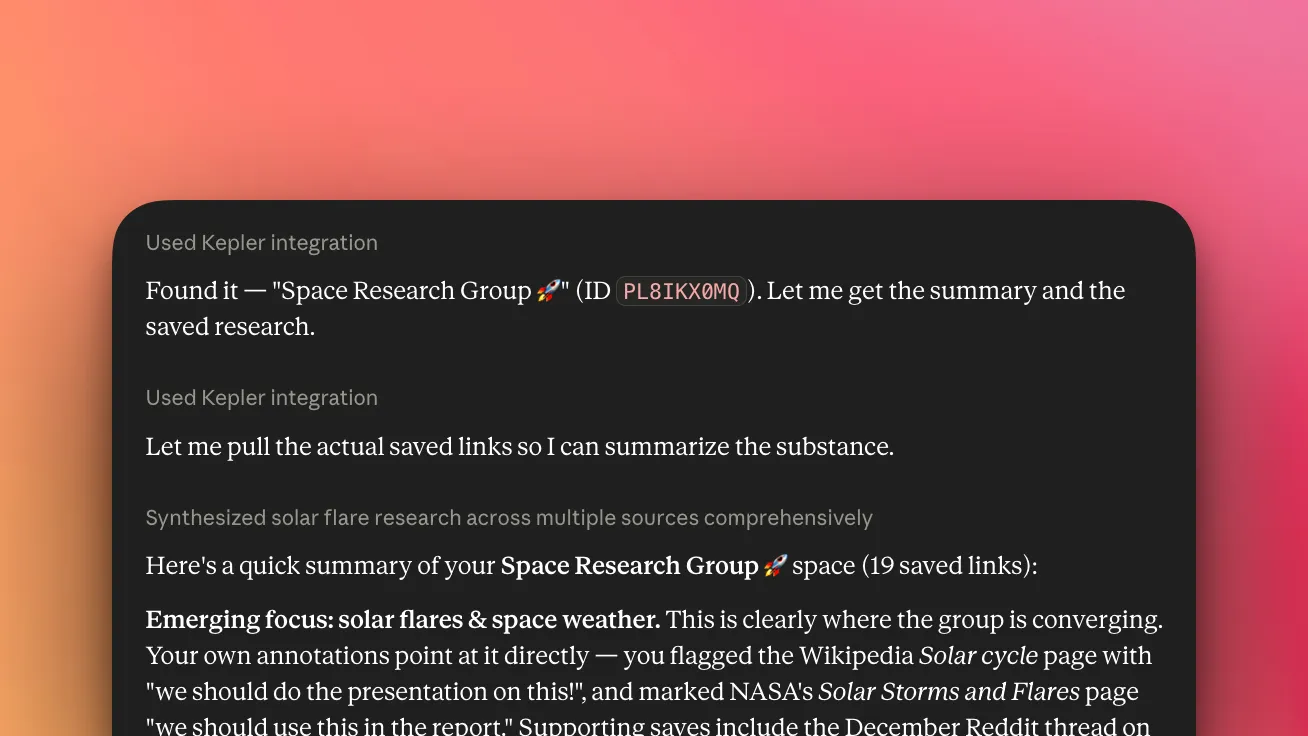
Claude is a brilliant reasoning engine. Kepler is the information tool that lets you feed it your sources — the articles, videos, and posts you’ve saved — so Claude works from what you actually care about. Because Claude speaks MCP natively, connecting a Kepler space takes minutes.
Every AI model works from the sources it decides to reach. That’s fine for general questions. But the best answers come from your material — the five articles you read this week, the TikTok of a lunch spot you want to try, the reel of somewhere you’re planning to travel. Kepler lets you collect those sources yourself and hand them to Claude, turning a general reasoning engine into one that reasons over your digital world.
Kepler is an information layer for Claude. It’s not another AI model and it doesn’t replace Claude — it captures the things you find useful, keeps them as portable memory across every device, and makes them available to Claude when you need them. The result is a more personalised Claude: same model, grounded in your context.
Kepler plugs into Claude through MCP — the open standard Anthropic created for connecting AI to outside context. Claude was built to speak it, so Kepler connects as a first-class connector, not a workaround.
Your sources, not just the model’s
A model on its own is limited to what it can see: its training data, whatever it can search, and the handful of things you paste into a chat. Kepler flips that. You decide what goes in — save an article, a paper, a YouTube video, a post — and that curated set becomes context Claude can draw on. It’s the difference between asking a smart stranger and asking someone who’s read everything you’ve read.
- You choose the inputs. Kepler only sees what you save. Curating your own sources gives Claude a sharper, more relevant starting point than any general search.
- Annotations add context. Add your own annotations to a source and they become extra context Claude can utilise — telling it not just what you saved but what mattered in it, in your words.
- It gets better the more you save. Your saved space is an asset that compounds: every save makes Claude’s answers on that topic more grounded.
- Build sources together. Spaces can be collaborative — you and a teammate, partner, or friend can add to the same space or share sources with each other, so Claude draws on what you’ve all saved, not just you.
Capture anywhere, remember everywhere
Kepler is URL-first and built for how you actually come across things. Read something great on your laptop, catch a TikTok on your phone, find a paper on a tablet — save it into a space (think: a project folder for context) from the web extension or the mobile share sheet. It’s instantly part of a portable memory system that travels with you across every device.
So when you sit down with Claude — on any device — the context is already there. Nothing to re-find, nothing to re-paste.
Built for how power users work with Claude
Kepler is designed to capture and share information across your Claude workflow, not just a single chat:
- Across chats. Start fresh conversations without starting from zero — your saved space is available in every one.
- Across agents. Point Claude agents at the same curated context so they work from your sources, not just the open web.
- Across people. Share a space with a teammate and you share the memory behind it — everyone’s Claude draws on the same curated set.
Step by step
- Create a space for what you’re working on — “Q3 competitor research,” “Japan trip,” “thesis sources.”
- Save as you browse. Drop links into the space from the web extension or mobile share sheet. Highlight the lines that matter.
- Let Kepler pull context. Each save gets a basic extraction automatically (title, summary, text). For dense sources — a long PDF, a video with no transcript — trigger a deep extract.
- Connect Claude to your space via the Kepler connection — full walkthrough in Connect Kepler to Claude.
- Ask grounded questions. Claude now reasons over the sources you chose.
What this unlocks
Research synthesis
“Summarise the main arguments across the RAG-eval articles in my Research space, and flag where they disagree.” → (Claude pulls the five saved sources) “Across the five, three argue retrieval quality dominates; two argue annotation/curation matters more. They disagree most on…”
Trip planning, together
“Build a 7-day itinerary from the reels and posts my partner and I saved in our Japan space.” → (Claude reads everything you both saved) “Here’s a route built around the spots you both flagged, with the two restaurants from the reels you saved slotted in…”
Picking up weeks later
“Remind me what I concluded in my thesis-sources space and what’s still unresolved.” → (Claude reads the annotated set) “Your saved sources converge on X; the open question you flagged twice is Y…”
Same model, more personal answers — because it’s finally working from your material.
Why not just paste?
Pasting doesn’t scale, loses the source, and disappears when the chat ends. Kepler does the work pasting can’t: a clean UI to organise your sources, automatic extraction and embedding of everything you save, and retrieval that’s optimised so Claude pulls the right sources for the question. A Kepler space is portable across devices, reusable across chats and agents, and yours — a curated, annotated set that gets more useful every time you save.
Get started
Connect Kepler today — it’s free. Install the extension, start a space, and connect it to Claude — the step-by-step guide is in Connect Kepler to Claude. Get Kepler to start.
Connecting uses MCP, which is free and unlimited on every tier — it never costs AI credits.
Kepler helps you create context for AI from the links you save. It improves the AI tools you already use — it isn’t one itself.