

Say Hello to Kepler 2.0 👋
A faster, more intelligent Kepler, with major improvements across mobile and web.
With richer link previews, deeper context views, and new ways to highlight and save, it’s now easier to capture what matters and actually use it with AI.
Open Kepler on mobile or your browser and explore what’s new.
Update Highlights:
- 🎨 Full design refresh across mobile and extension — cleaner, faster, easier to use
- 📱 In-app browser + context preview (mobile) — see your saved context without leaving Kepler
- ⚡ Automatic link saving (mobile) — drop a link and keep moving, no waiting
- 🖍️ Highlight & save (browser) — capture specific text or images with context
- ⚙️ Faster performance — quicker saves, better AI recall, more reliable sync
1. 🎨 Design Refresh (Mobile & Browser Extension)
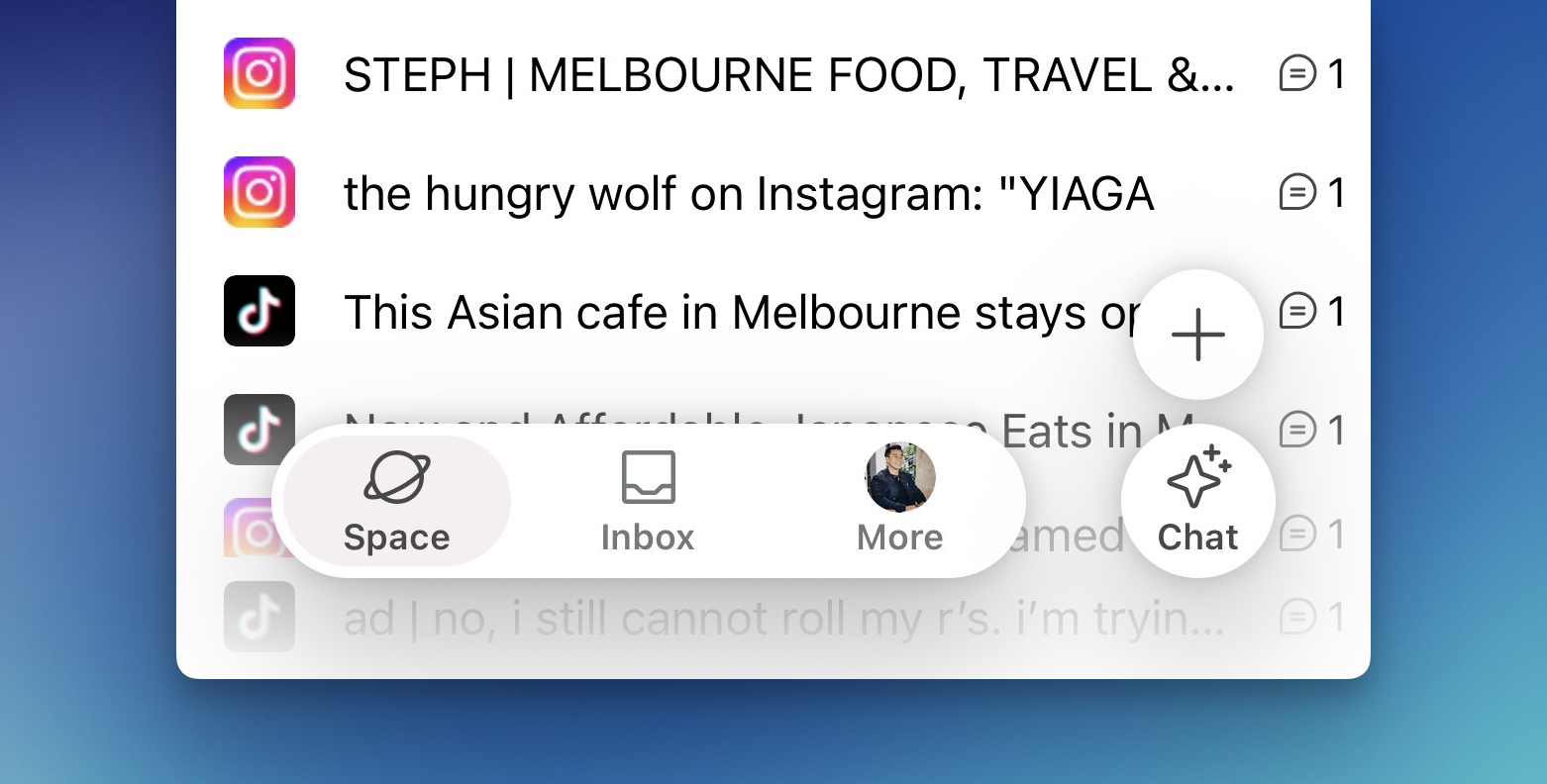
We’ve simplified and unified Kepler’s design across mobile and browser — making everything easier to access and faster to use.
Want to save a link? Start a chat with AI? Everything is now just one tap away.
This redesign was built around two core priorities:
- Make saving links as effortless as possible
- Make switching between mobile and browser completely seamless
👉 A cleaner, faster Kepler — wherever you use it.
2. 📱 In-App Browser & Context Viewer (Mobile)
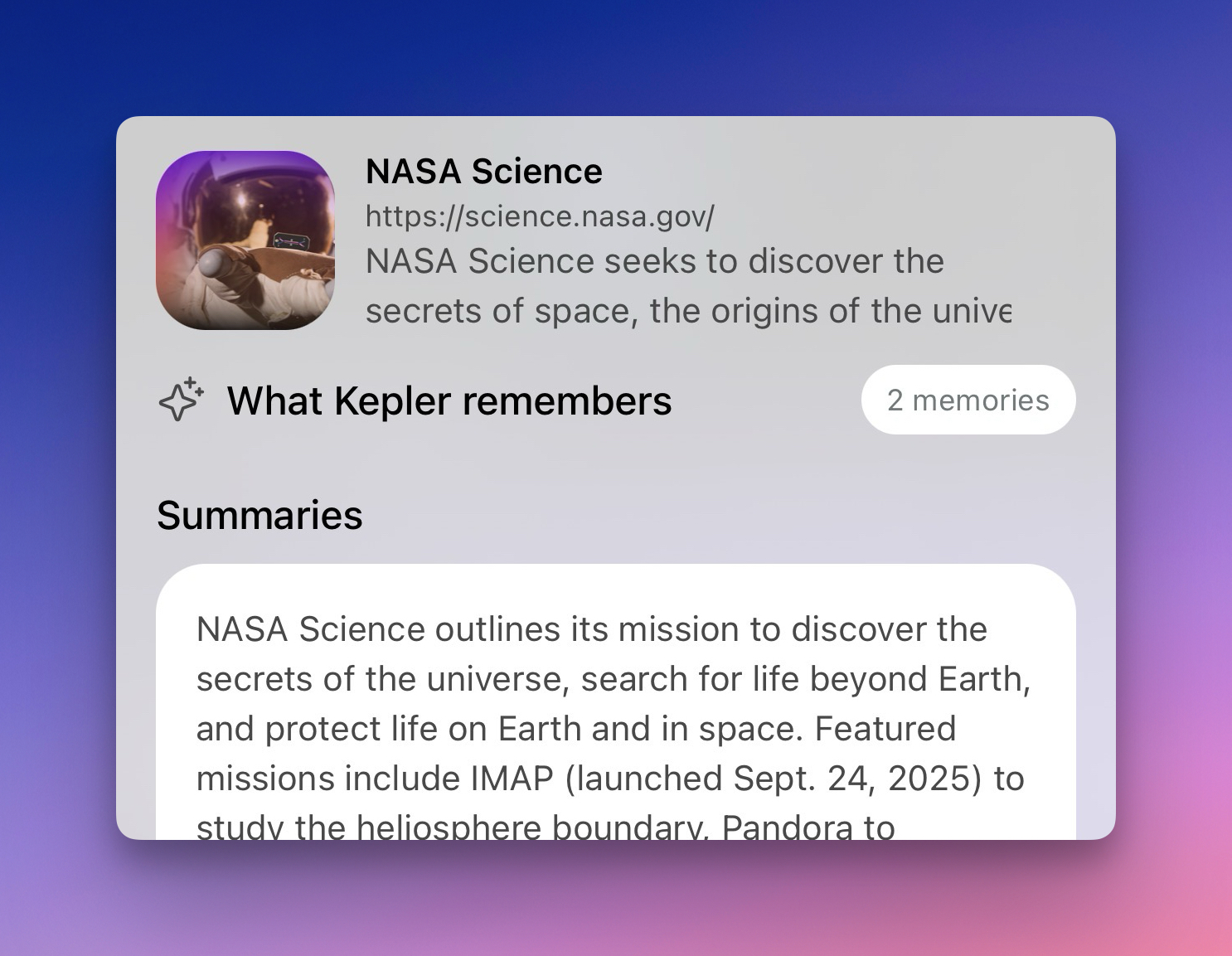
Want to quickly revisit what you’ve saved? Just tap a link in your space — it opens instantly within Kepler.
Alongside the page, you’ll also see all the context you’ve saved:
- notes and comments
- highlights
- extracted content
👉 Everything related to that link, in one place.
3. ⚡ Faster Link Saving (Mobile)
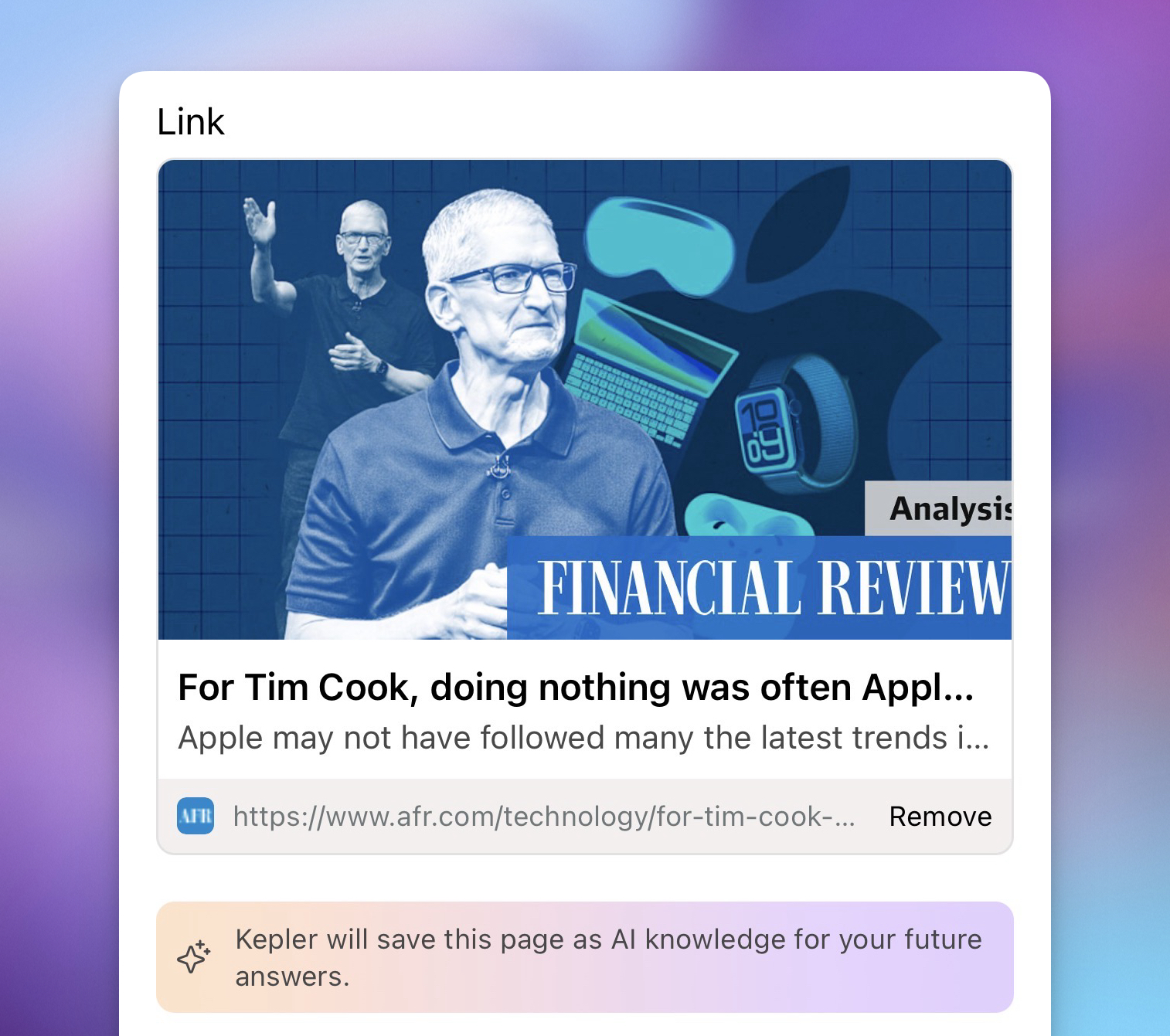
Saving links is now faster and frictionless.
You no longer need to wait for Kepler to extract a page’s context before saving. Just drop in a link and keep browsing — Kepler handles the rest in the background.
👉 Capture now, process later.
4. 🖍️ Highlight and Save (Browser)

You can now highlight text or select images directly on any webpage and save them to your space.
This lets you capture the exact piece of content that matters — not just the link.
👉 Save with precision, not just bookmarks.
5. ⚙️ Technical Upgrades

We’ve overhauled Kepler’s underlying systems to make everything faster and more reliable.
We’ll spare you the technical details — what you’ll notice is a smoother experience across the board. From logging in to saving links to recalling context, Kepler now responds faster and more consistently.
👉 A more responsive Kepler, built to scale with you.






.png)